

Thank you for joining Lend A Hand. This is the perfect place to look for the help that you need. Sometimes, it’s easy to be overwhelmed with many projects on the go.
With Lend A Hand, you can find someone in your community that can help with your project. You may be surprised as to what kind of talent there is in your area.
This page will so you how you can look for help near you. This section will look at what you do, assuming you’ve already downloaded, installed, and created a profile for the app. If you need help with that, click here.

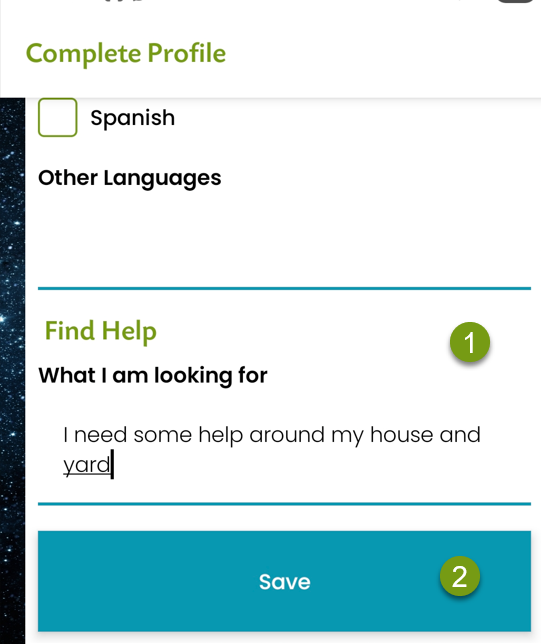
Step 1) (1) Specify what kind of help you need in your profile. (2) Click Save
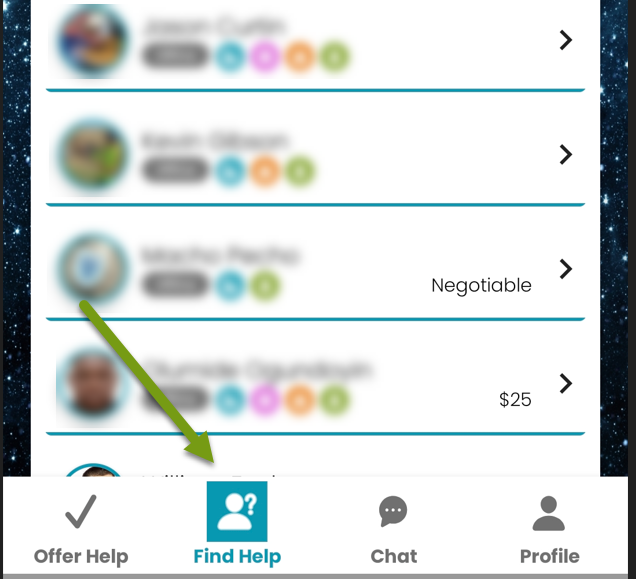
Step 2) Click on Find Help.
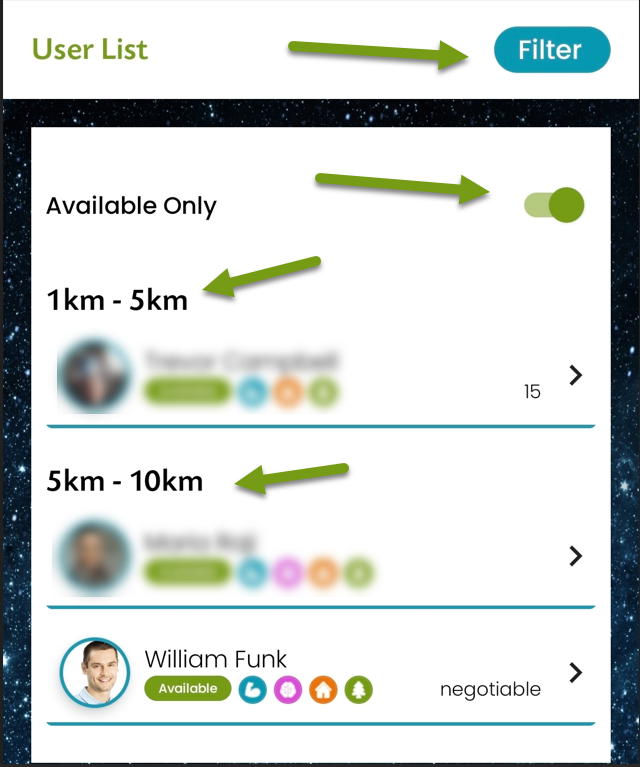
Step 3) You can see the full list. You can also choose Available only, or you can choose the filter for narrower search. As you can see, the helpers are shown from the closest to you. In this case, we’ll choose our test account, William Funk.
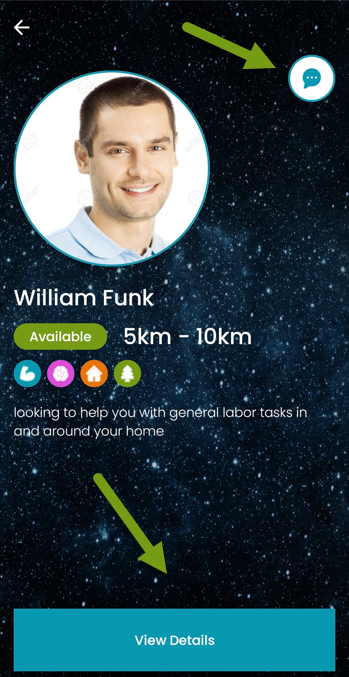
Step 4) You can see their full details or click on the chat screen. You can also select Message from their details screen.
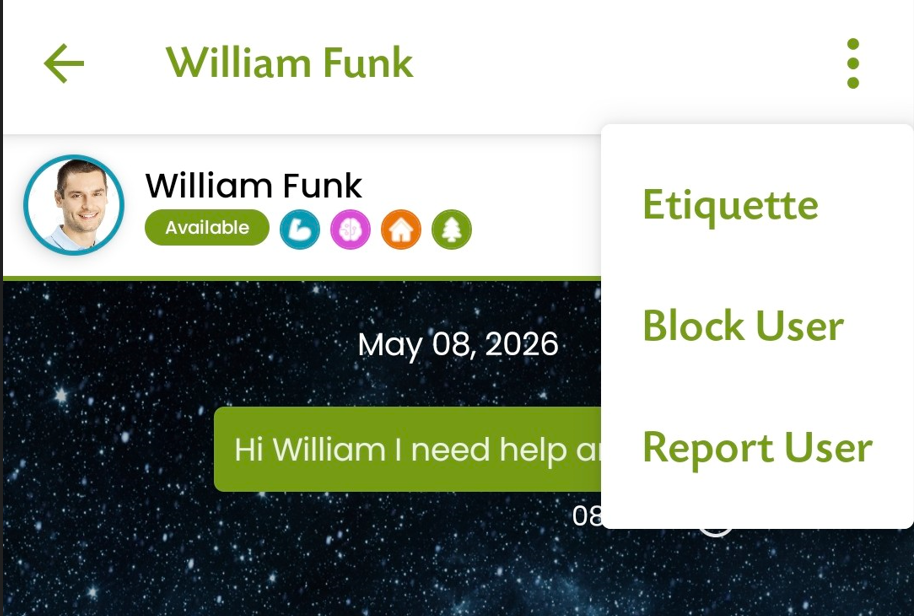
Step 5) Text your request. If there are issues with the user, you can always Block or Report the user.
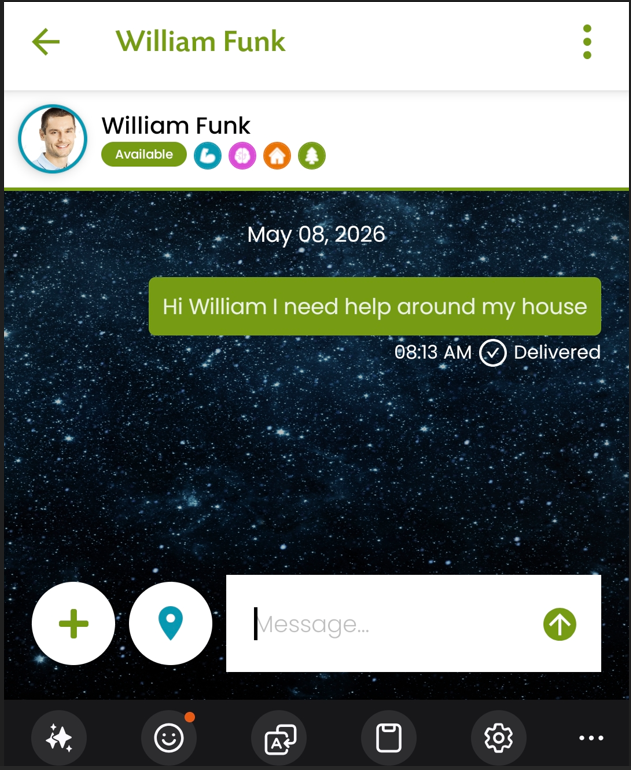
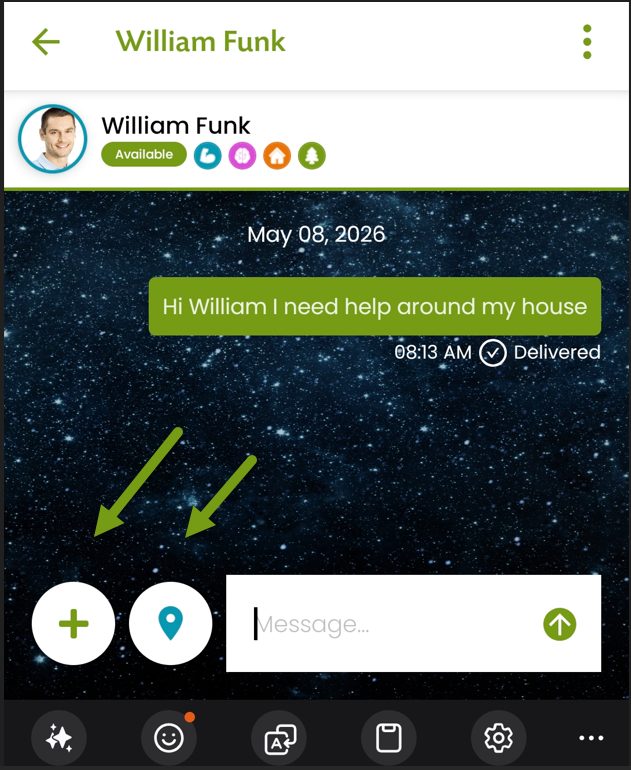
Step 6) The user will get a notification like this one showing them they have a new message. As you can see in this example, you can have a conversation and send photos or your location using the map pin.

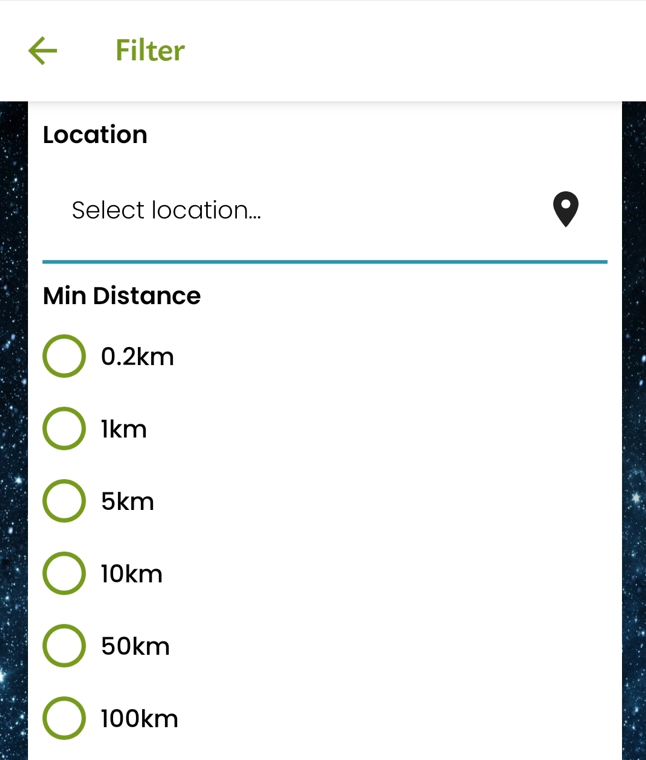
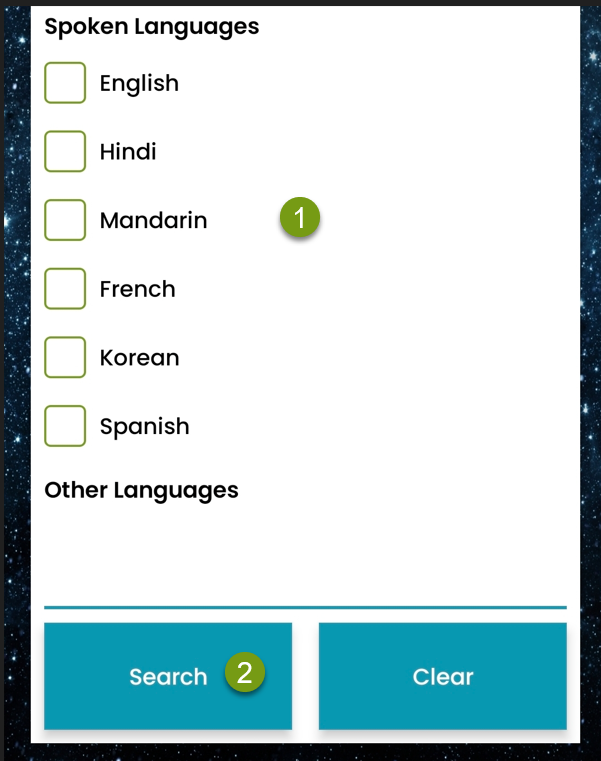
Step 7) If you wish to use the filter, you can choose what type of help you need.
How far away the helper is and (1) what language they speak. (2) Click search to find the helper you need. You can always clear the filter and see the fill list of helpers closest to you. From that point, you can swipe up to see the next helper.
Thank you again for joining Lend A Hand. We hope you can find the help you need to get your projects done!