

Step 2, sign up and your details.
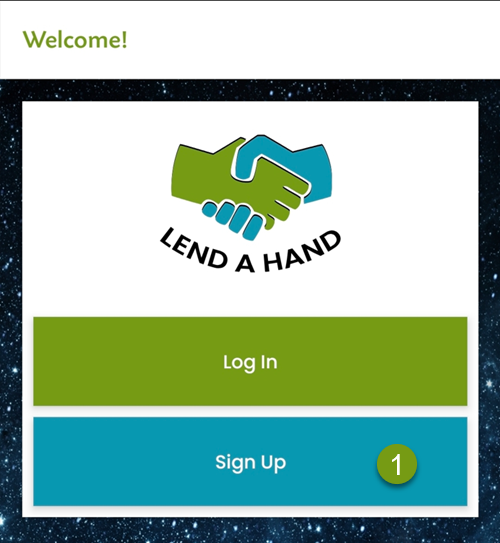
1) On this screen, please click on Sign Up
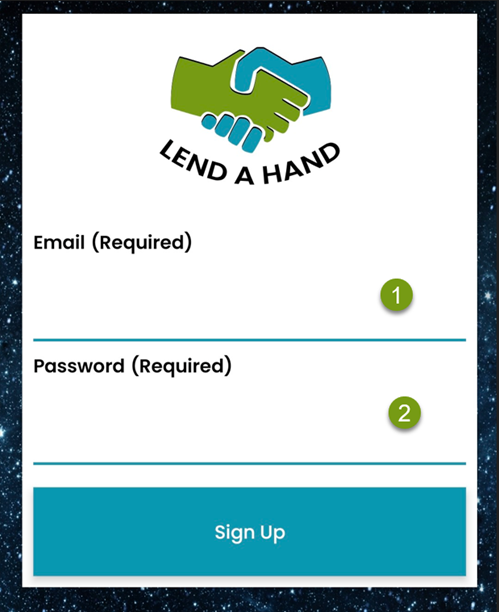
2) On this screen, please enter your email address and password. Then click Sign Up.
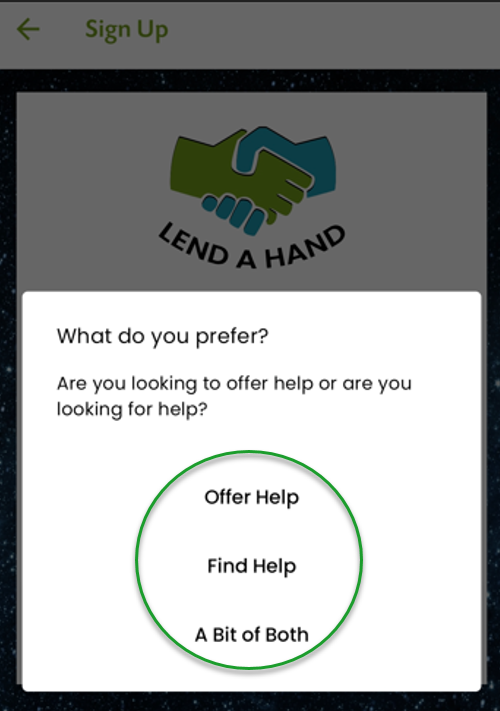
On this screen, you will be asked what you want to do.
You have 3 Choices.
A) Are you looking to offer help or
B) Are you looking for help?
C) Or, A Bit of Both.
For this case, we are chosing a bit of both.
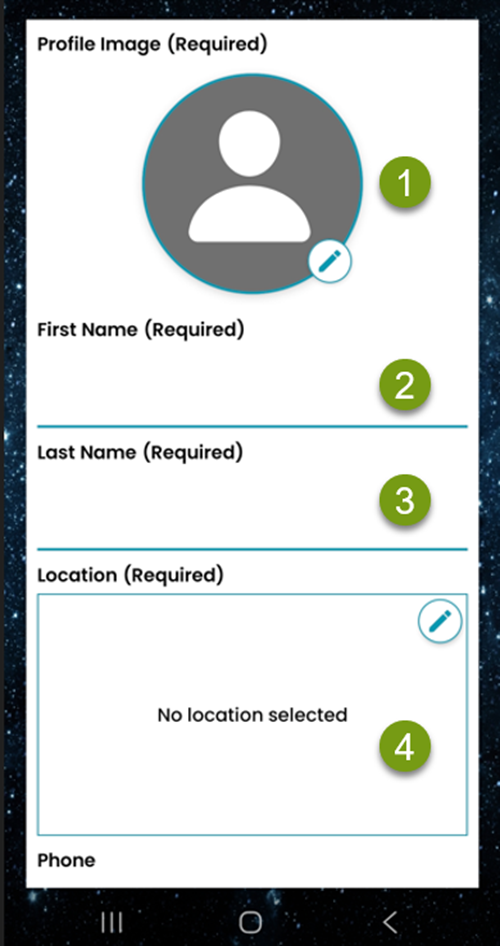
On this screen, you will be asked to fill in details.
1) Please add your profile photo.
2) Your First Name
3) Your Last Name
4) The location for your profile. You don’t have to put this at you exact location.
Please select ‘While using the app’ for your map.
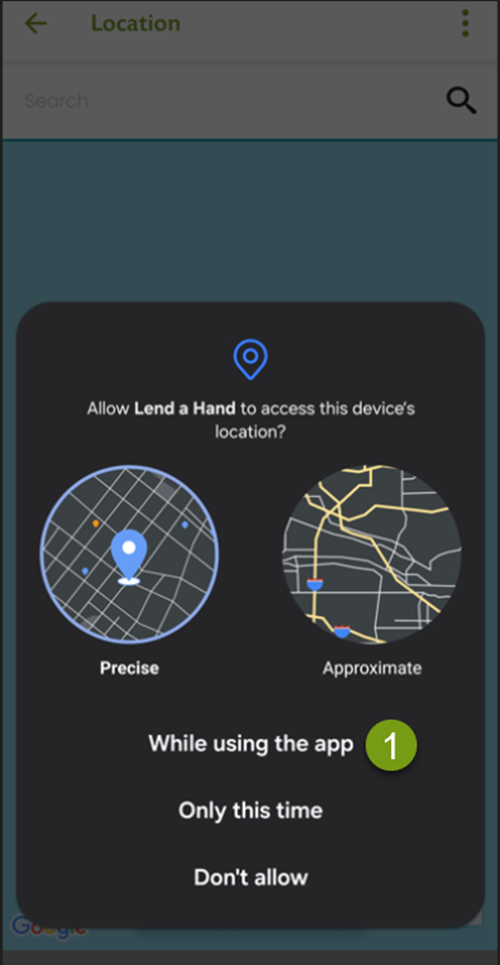
In the app, there are 2 locations. If you’re on the move, you can set you profile location as your current one. Or you can set a profile location if you intend to work in the same area. (more on this later)
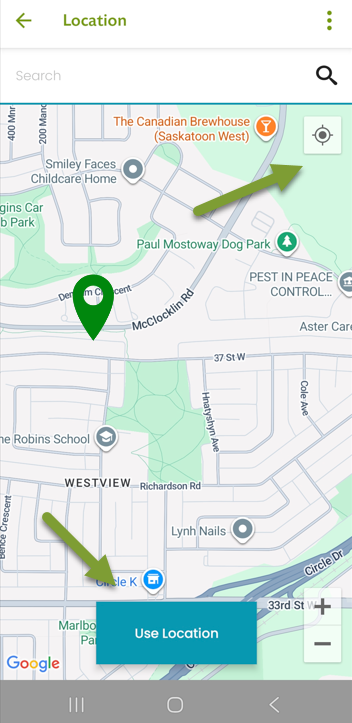
For now, you can open the map, click on the top right corner and it will set the map at your current location with a little blue dot. However, you may not want people to know your exact location, you can touch the map, and a little green icon will appear. You can move it where you want to and then click ‘Use Location.’
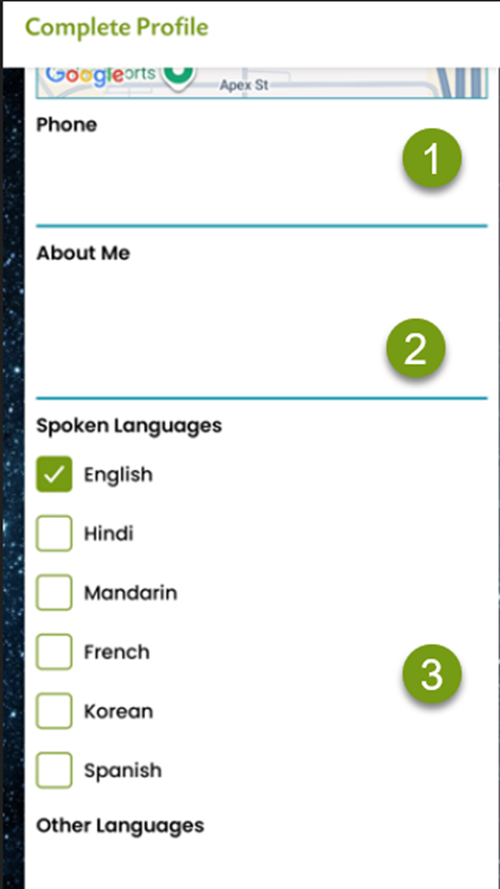
Please add….
1) Phone number
2) About me. This is a great chance to tell everyone about your skills.
3) We meet people from all over the word and some may feel more comfortable working with someone who speaks the same language.
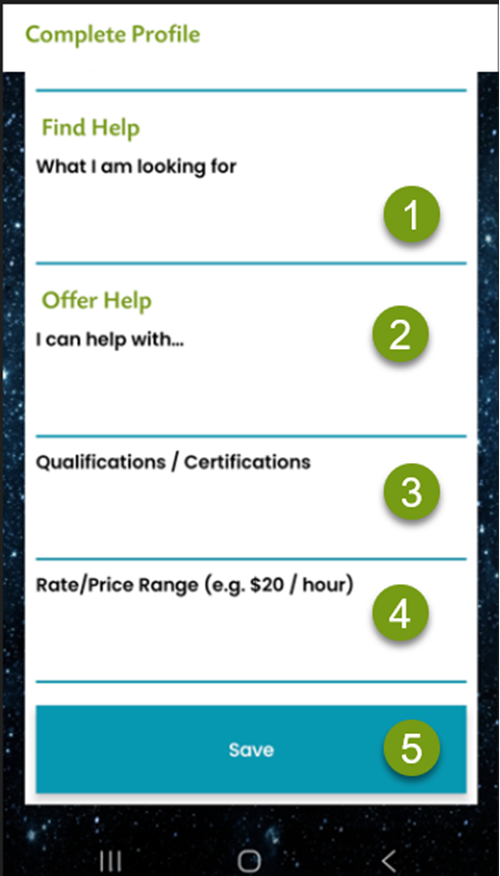
In this section, you can list
1) What kind of help you need. Please be specific.
2 ) What kind of help you can provide. Please be specific.
3) Also, you can list your qualifications. This is a good chance for you to provide information for people who need help, can see.
4) In the last box, you can specify how much per hour you will charge. Or, you can leave it as “negotiable.” Keep it in mind that this is available on the main screen for potential customers to see.
5) Remember the hit SAVE.
That’s it. You’ve now set up your profile for Lend A Hand. Thank you! You’re now ready to look for help or help in your community.